Webhook as Output Destination
Utilising webhook links can be used for system integrations, whereby the generated document is sent to a webhook link. It is meant for more advanced users, or developers.
Steps to set up Webhook as an output destination
Choose Webhook as the output destination
To receive the document as a downloadable file (Word document or PDF) via a HTTP request, select Webhook for the output destination.
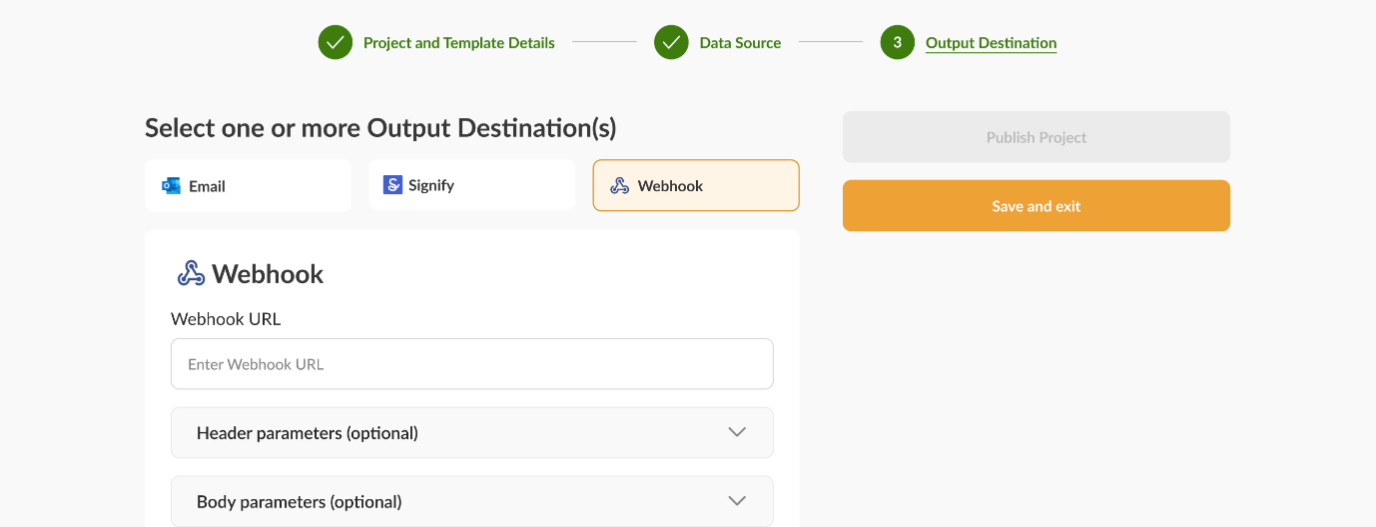
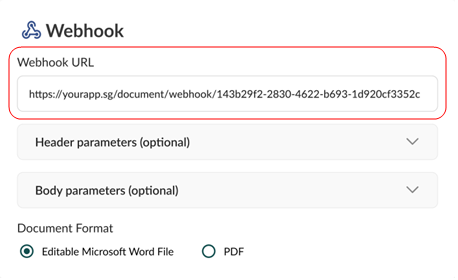
Enter the Webhook link where you want to send the document
Enter the endpoint URL that you have set up for receiving the webhook. You can generate your unique link on webhook.site.
The webhook URL must start with http or https, and not ftp. Ensure that the webhook does not resolve to the following IP addresses, as they are not allowed:
| Disallowed types of IP addresses | Range |
|---|---|
| Localhost | 127.0.0.1 / 0.0.0.0 |
| Metadata endpoints | Example: 169.254.169.254 |
| Private IPs | 10.0.0.0 - 10.255.255.255172.16.0.0 - 172.31.255.255192.168.0.0 - 192.168.255.255 |
Customising parameters and output format
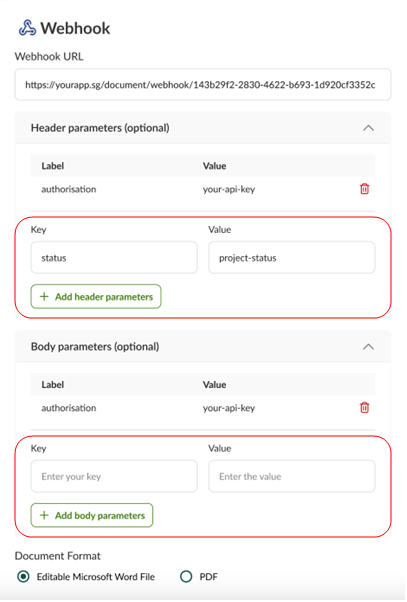
1. Specifying header and body parameters
These parameters can be configured to pass additional information with the webhook. For example you could use authorization as a header and an API key for handling authentication when doing system integrations, and could send details like form filler’s name on the body.
Apart from adding new header and body parameters in the portal, you could also view the parameters you have already added and delete them where necessary.
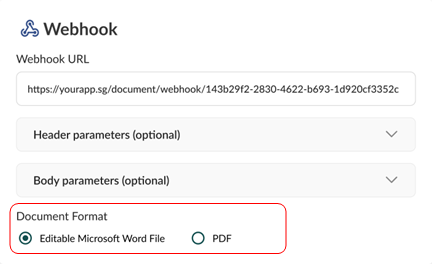
2. Selecting document format
The output document can be generated in .docx or .pdf format.
Errors
Here is a table of the common errors that you might face when using webhook as an output destination. See linking webhook as a data source for more errors related to webhook inputs.
| Status Code | Recommended Fix |
|---|---|
400 - Bad Request | • Check that the webhook destination URL entered in your output destination exists and is correct. • Ensure that the URL starts with http or https.• Ensure that the URL does not contain credentials (e.g. username:xxx or password:xxx).• Ensure that the URL does not resolve to localhost ( 127.0.0.1 / 0.0.0.0), a metadata endpoint, or a private/reserved IP range (10.0.0.0 - 10.255.255.255, 172.16.0.0 - 172.31.255.255, 192.168.0.0 - 192.168.255.255).• If DNS resolution fails, ensure that the URL is correct or check your firewall configurations. |
403 - Forbidden | • Ensure that the webhook endpoint allows requests from docCentral. |
415 - Unsupported Media Type | • Ensure that your webhook is configured to accept .docx or .pdf files. |